
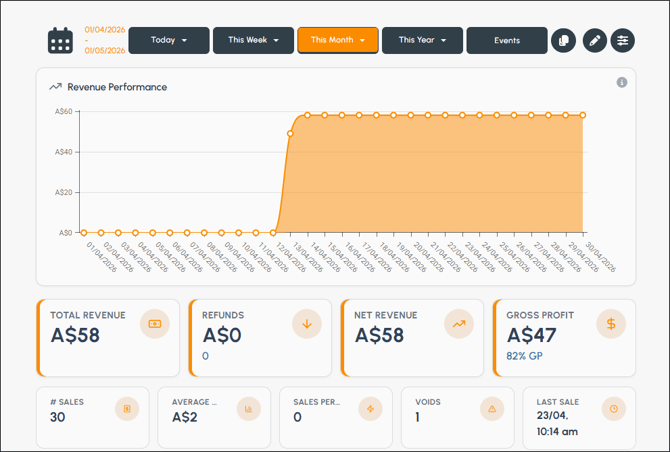
To access, select the RevenueV2 option from the Dashboard menu. Used to view a range of revenue statistics.
Screens ▲ ▼
Advanced Filters Screen ▲ ▼
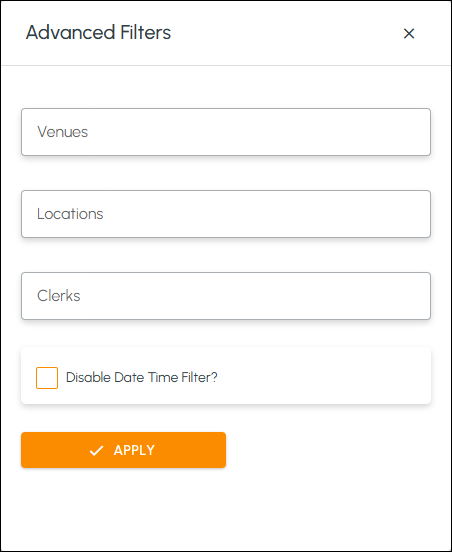
To access, select the Advanced Filters icon in the header section. Used to further filter the data retrieved, that forms the basis of the revenue reporting, by selecting one or more of the filter options listed. Select the Apply option to apply the filters.
Dashboard Detail Screen ▲ ▼
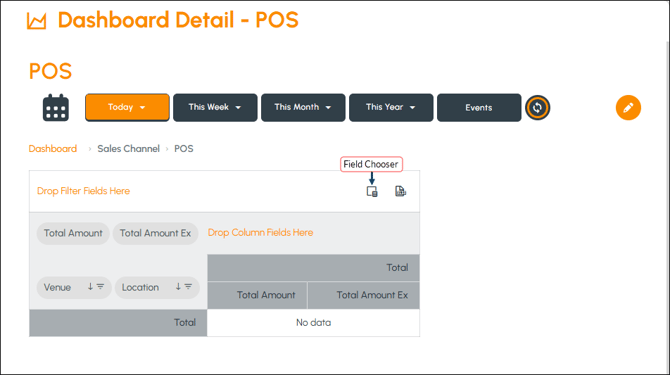
To access, select any one of the channels displayed in the Sales Channels statistic. Used to view a detailed breakdown of the sales for the selected channel.
Noteworthy
-
Field Chooser - Select to open the Field Chooser screen to select/unselect fields of interest.
Field Chooser Screen ▲ ▼
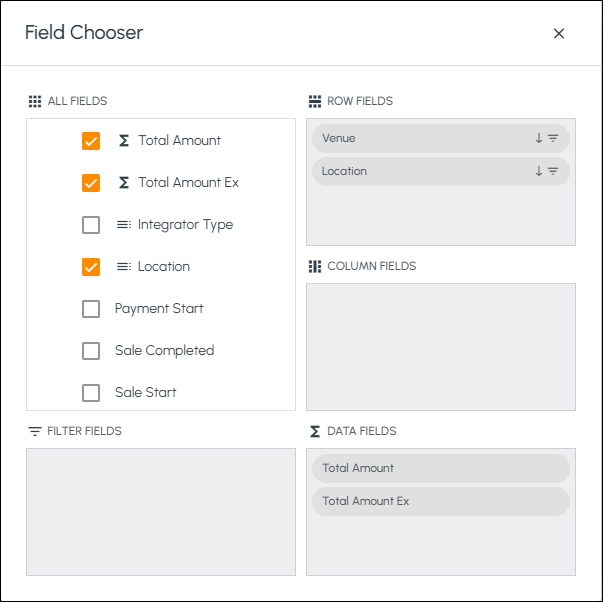
To access, select the Field Chooser icon in the Dashboard Detail screen. Used to select/unselect fields to include/exclude in the display of the Dashboard Detail screen.
Revenue Screen ▲ ▼
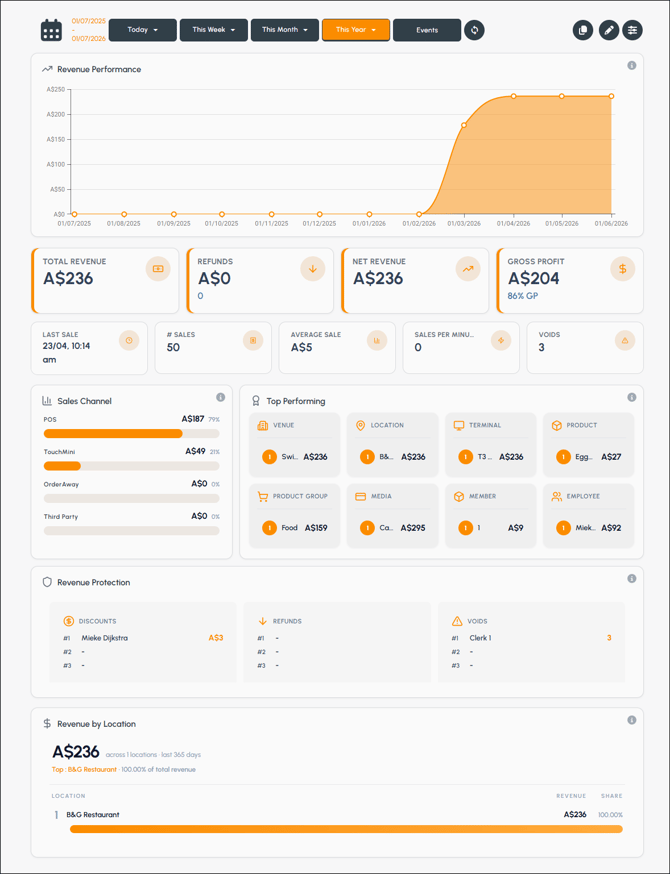
Displays a range of revenue statistics based on the filters selected.

Used to filter the data displayed. Refer HERE for more information.
- Advanced filters - Select the icon to open the Advanced Filters screen to further filter the data.
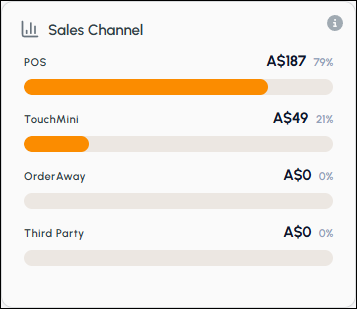
Display sales grouped by channel. Select on any one of the channels displayed to open the Dashboard Details screen for the selected channel.
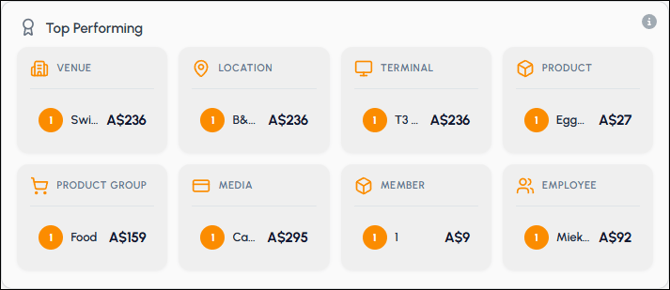
Displays sales based on the highest performing Venue, Location, Terminal, etc.
Revenue Protection Statistic ▲ ▼
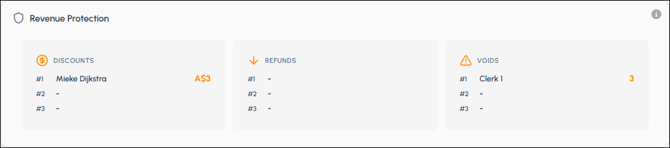
Displays lost revenue in the form of discounts, refunds, etc in order to monitor financial risk.
Revenue by Location Statistic ▲ ▼
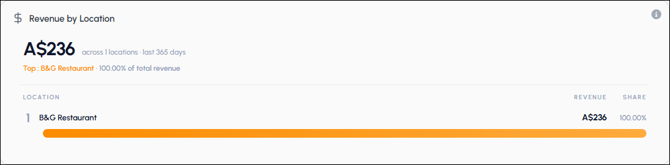
Displays revenue by Location to assist with monitoring performance across the Venue.
End of article ▲