
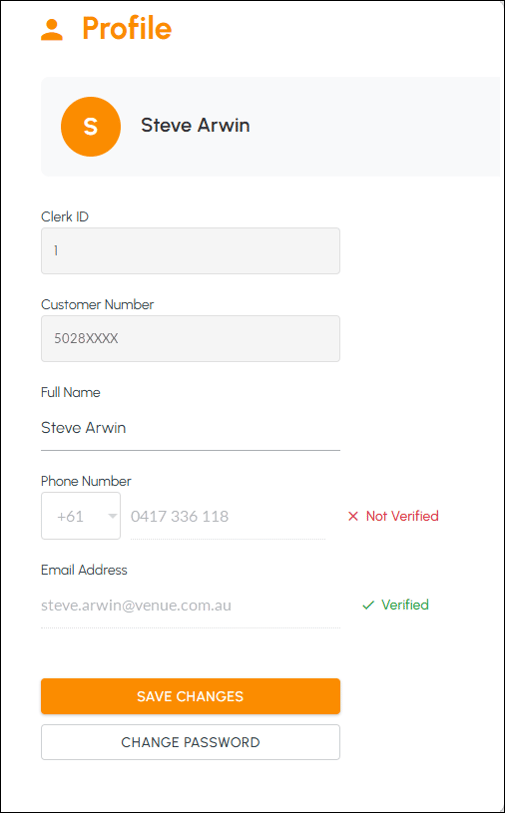
To access, select the Profile icon in the main menu of Swiftpos HQ.
- Clerk ID - Displays the Clerk's ID.
- Customer Number - Displays the Venue's Customer Number.
- Full Name - Displays/Edit the Clerk's full name.
- Phone Number - Displays the Clerk's contact number.
- Email Address - Displays the Clerk's email address.
- Save Changes - Select to save changes.
- Change Password - Select to change the Clerk's login password.
End of article ▲