
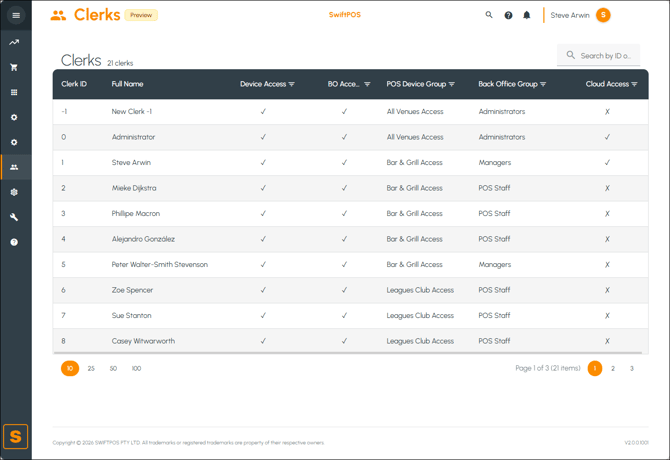
To access, select the Clerks menu in Cloud Back Office.
Subjects ▲ ▼
About ▲ ▼
When Is It Used? ▲ ▼
Used to view a simple list of Clerks/Staff Members.
Screens ▲ ▼
Clerks Screen ▲ ▼
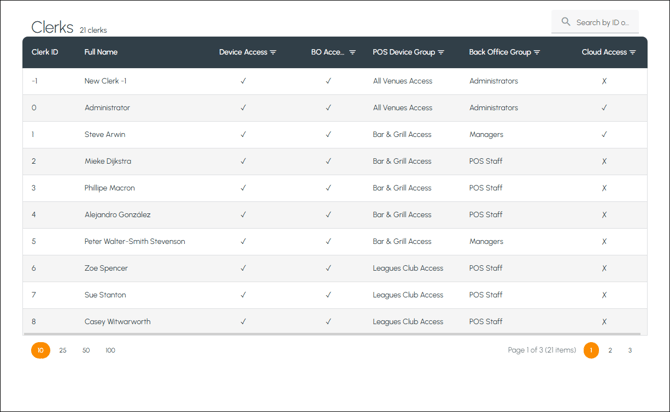

- Left-hand Side - Displays the total number of Clerks.
-
Right-hand Side - Displays a search option that can be used to search by entering attributes of a Clerk. For example, ID, Name, Location, etc.
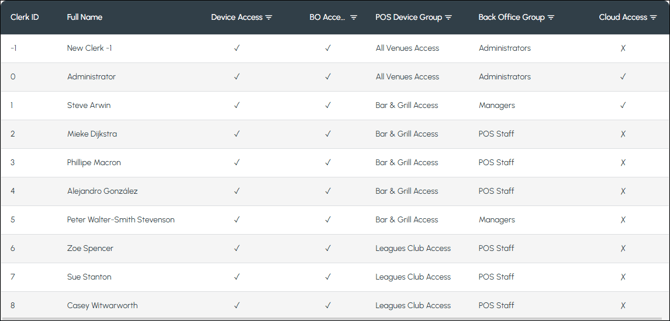
Lists the Clerks along with their ID, Full Name, BO (Back Office) Access indicator, POS Device Group, Back Office Group and Cloud (Back Office) Access indicator.
End of article ▲