
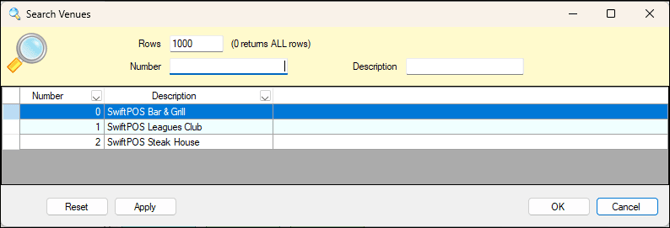
Used throughout Back Office to search for and select a Venue.
Notes ...
By default, the Venues initially displayed in the grid will be those for which the currently logged in Clerk/Staff Member is authorised to access.
Sections ▲ ▼
Use the following filters to limit the number of Venues displayed in the grid. Venues can be selected by double selecting a row OR by selecting a row and then selecting OK.
- Rows - Displays/Enter the maximum rows.
- Number - Displays/Enter the number of the Venue.
- Description - Displays/Enter the description of the Venue.
Displays a list of Venues along with their Number and Description.
- Reset - Select to reset the filters entered to the default setting.
- Apply - Select to apply the selected filters and return the filtered Venues.
End of article ▲