
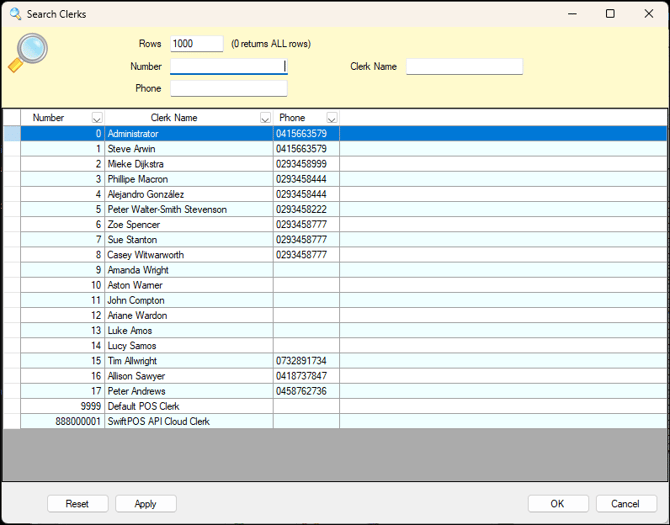
Used throughout Back Office to search for and select one or more Clerks.
Sections ▲ ▼

Used to limit the number of rows displayed in the grid section. Once all filters have been selected, select the Apply option in the footer section to apply them. Otherwise, select the Reset option in the footer section to clear all filter selections.
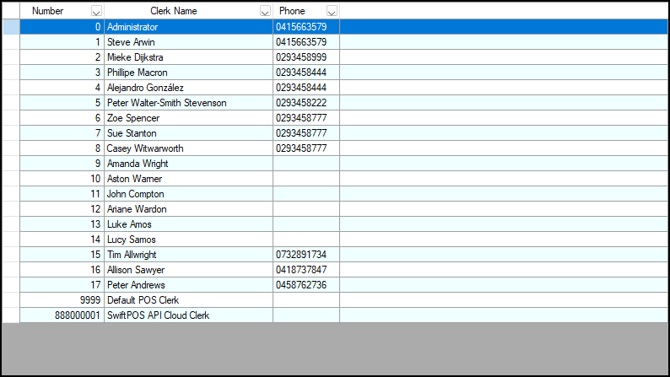
Lists Clerks along with their Number, Name and Phone number.
Notes ...
By default, the Clerks initially displayed in the grid will be those for which the currently logged in Clerk/Staff Member has access to.
Select a row to select the required Clerk/Staff Member.

- Reset - Select to clear all filters.
- Apply - Select to apply the filters.
- OK - Select to save selection and exit.
- Cancel - Select to exit without saving the selection.
End of article ▲