
Subjects ▲ ▼
About ▲ ▼
What Is Required? ▲ ▼
- Swiftpos v10.67+
When Is It Used? ▲ ▼
Used when Venues want to provide additional item/product information in the form of nutrients, relating to food served to patrons. Nutrient information can be configured and managed using this menu option.
How To? ▲ ▼
Screens ▲ ▼
Add Nutrient Screen ▲ ▼
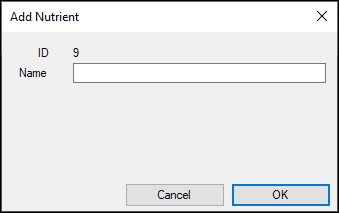
To access, select the New option in the footer section of the Nutrients screen. Used to add a nutrient.
Edit Nutrient Screen ▲ ▼
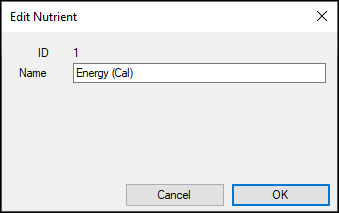
To access, select the Edit option in the footer section of the Nutrients screen. Used to add a nutrient.
- ID - Displays the ID of the nutrient being edited.
- Name - Displays/Enter the name of the nutrient being edited.
Nutrients Screen ▲ ▼
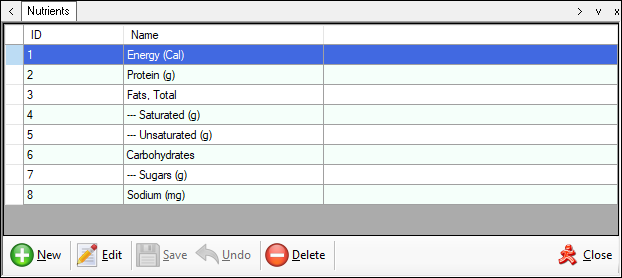
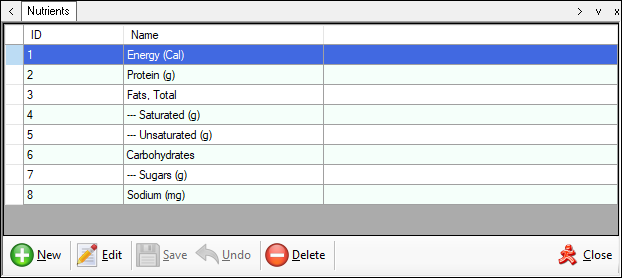
To access, select the Nutrients menu option in the Products menu. Used to manage and configure the list of nutrients that currently can be recorded against an item/product.
Grid Section
Lists the currently available nutrients along with their ID and Name.
Footer Section
- New - Select to open the Add Nutrient screen to add a new nutrient.
- Edit - Select to open the Edit Nutrient screen to edit the selected nutrient.
- Save/Undo - Select to save/undo changes.
- Delete - Select to remove the selected nutrient.
End of article ▲