
Screens ▲ ▼
Product Associations Screen ▲ ▼
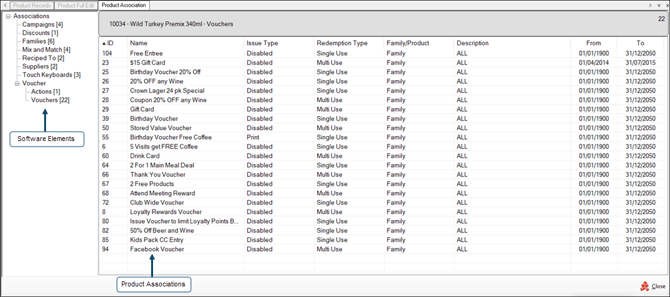
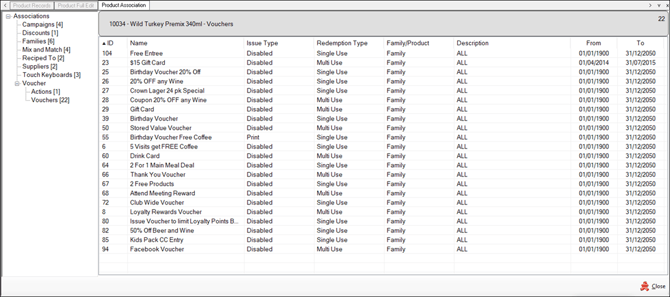
To access, select the Associations option in the Product Full Edit screen. Used to view the associations the selected item/product has with Swiftpos software element(s).
Sections ▲ ▼
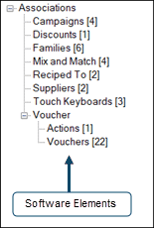
- Swiftpos software elements - These are listed down the left-hand side of the screen and can be expanded/collapsed by selecting the +/- buttons. These could be one or more of the following:
- Campaigns
- Combos
- Discounts
- Families
- Happy Hours
- Locations
- Manufactures
- Media
- Mix n Match
- Production
- Promotion
Notes ...
For sites that are registered for Advanced Host Integration, then the Promotions associated with the selected item/product will display Metcash specific data. Refer HERE for an example.
- Swiftpos software elements continued ...
- Raffles
- Reciped To
- Sourced From
- Suppliers
- Surcharge
- Touch Keyboards
- Vouchers
- Actions
- Vouchers
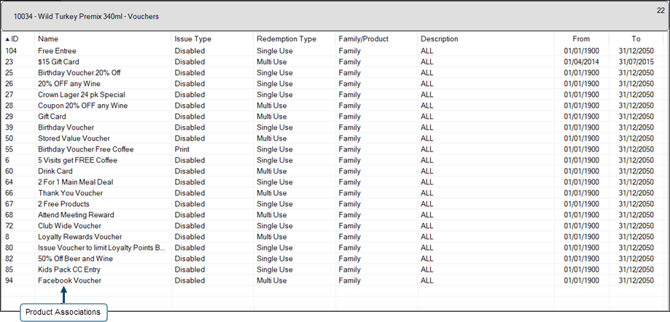
Once a software element is selected in the Associations section on the left-hand side, then it's associations for the selected item/product will be displayed in the grid section.
End of article ▲