
This outlines How To Request A Software Registration in Back Office.
Subjects ▲ ▼
How To Request A Software Registration? ▲ ▼
Do as follows:
- Complete the Registration screen by entering/editing where appropriate the details contained in the following sections:
- Once done, select the Export File option to export an XML file.
- Then select the Email Request option to send the exported XML file to your Reseller for Registration. Once selected the following Confirmation prompt will be displayed.
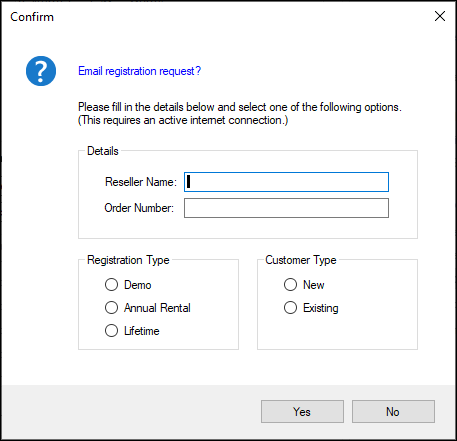
Complete the details where appropriate. Once entered, select Yes below to email the file to your swiftpos Reseller.
- Once processed, swiftpos will issue a Registration file which will be attached to an email.
- Using the Import File button option to Register the swiftpos software.
- Once imported select the Check button to confirm the registration is successful.
Notes ...
Ensure the date format in Windows set as dd/mm/yyyy for the Registration to complete successfully.
End of article ▲