
This outlines the How To Delete Unused Barcodes.
Subjects ▲ ▼
About ▲ ▼
When Is It Used? ▲ ▼
Used as a housekeeping function to clear the Swiftpos database of an excessive number of potentially unused barcodes. Barcodes are held in the ProductBarCodeTable in the Swiftpos database.
How To? ▲ ▼
How To Delete Unused Barcodes? ▲ ▼
In Back Office, do as follows:
- Navigate to and select the Delete Unused Barcodes option in the SQL Tools menu.
- This will ensure the following prompt is displayed:
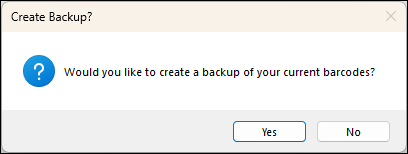
- Select either:
- Yes - RECOMMENDED. Select to backup existing barcodes to a CSV file before the deletion process. Select a folder and confirm the file name before the backup is created. To restore the barcodes from the backup created, refer HERE.
- No - Select to continue without backing up existing barcodes.
- Once the above prompt has been responded to and the appropriate action taken, the following prompt will be displayed:
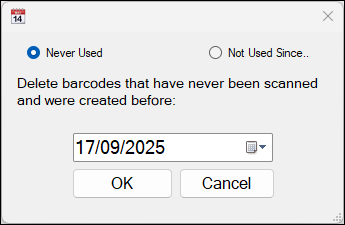
- To delete barcodes, either:
- Select OK to start the process.
- A message will be displayed confirming the number of barcodes deleted. For example:
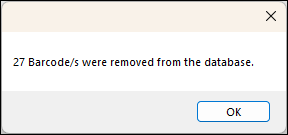
- Select OK to close the message.
- To restore the barcodes from the backup created above, refer HERE.
End of article ▲