
This outlines how to gain access to Logs in Touch.
Subjects ▼
How To Access Logs ▲ ▼
The Logs can be accessed in Touch via the Tools button in the Tool bar. Refer to How To Access The Tools Menu for more information.
- Once selected the first menu, Basic Tools will be displayed.
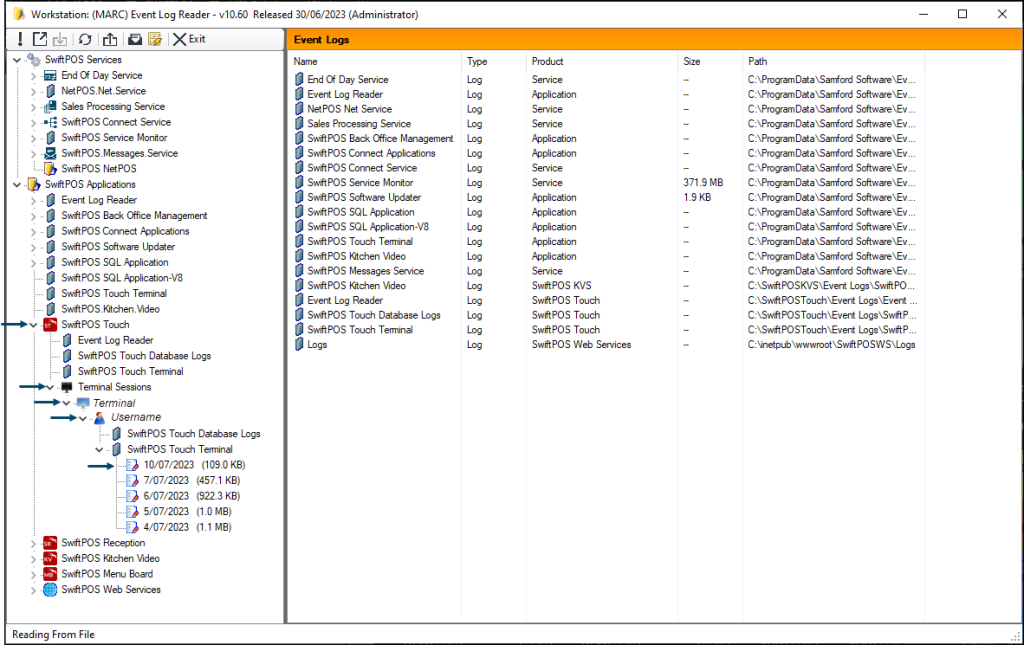
- Select the Open Event Log Reader option to display the Event Log Reader screen.
- Expand the SwiftPOS Touch entry found under the swiftpos Applications entry as shown in the screenshot example below:
End of article. ▲