
This outlines How To Access Logs in Back Office.
How To Access Logs? ▲ ▼
The logs can be accessed in Back Office:
- By selecting the Event Logs menu option from the Tools menu. Once selected the Event Log Reader screen will be displayed.
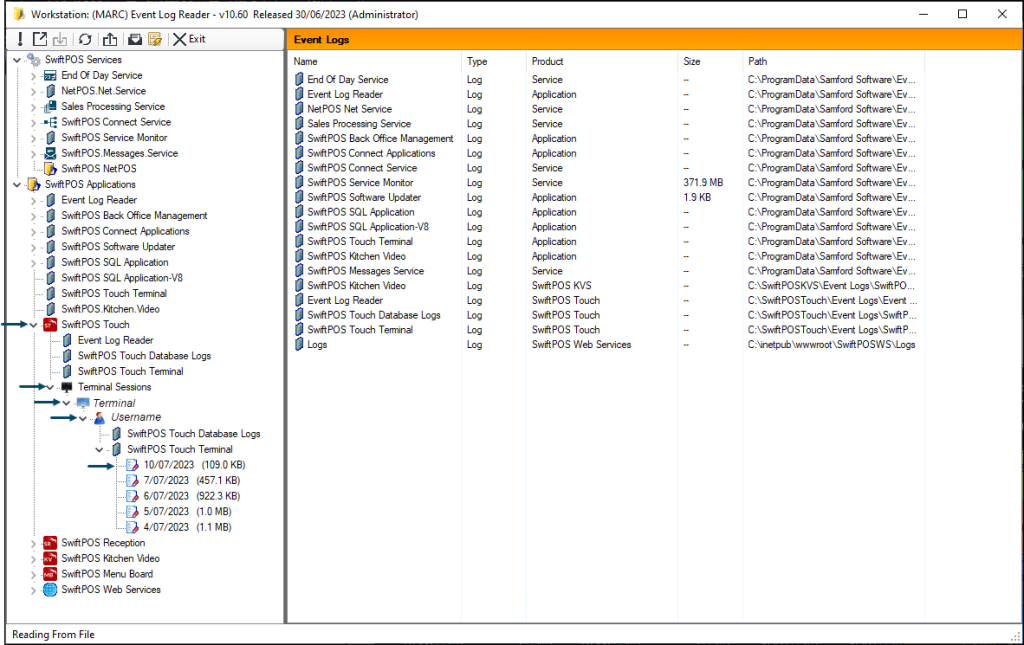
- Using the screen, expand the appropriate entry as required. For example, the Swiftpos Touch entry.
- Continue to expand any sub entries as is appropriate until the log entry sought, is located.
- For example:
End of article ▲